
0 to 5,000 Followers — How I Automated My Social Media Pipeline with Claude Code (820K Monthly Impressions)
From a painful 7-step manual workflow to a fully automated content pipeline using Claude Code, Marp CLI, Buffer MCP, and subagent architecture — 820K impressions in a single month.
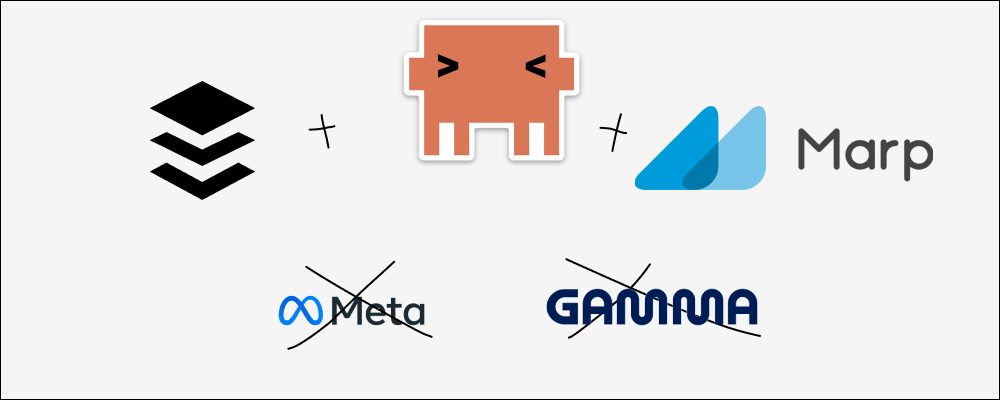
The Numbers
My Threads account @mocky.pro (all in zh-TW — I share global company job postings for the Taiwanese market):
- 5,201 followers
- 820K impressions in a single month
- Average 237 shares, 16.5K views, 8 reposts per post
- Just me and Claude Code. No team.
The product behind it, mocky.pro, is a web app that helps Chinese-speaking users practice English interviews with AI, so they can overcome the fear of interviewing in a second language.
The Starting Point
My strategy was simple: curate and share job postings for tech internships and positions, so job seekers don't have to dig through dozens of sources themselves.
Simple idea. But here's what the execution actually looked like:
- Manually paste job info into Telegram
- n8n picks it up, sends it to Gemini for summarization, returns it to Telegram
- Manually copy the summary into Gamma to create slides
- Tweak layout, font sizes, colors
- Export as PNG
- Use a Mac Shortcut to stamp my logo onto every slide
- Manually upload to Threads and Instagram
Seven steps. Every single day.
And yes — I was paying for Gamma Plus just to remove their watermark from my slides.
After running this workflow for a while, I knew one thing for sure: if I kept doing this manually, I'd burn out and quit.
The Turning Point: Redesigning the Workflow with Claude Code
The turning point was when I started using Claude Code to redesign the entire workflow from scratch — turning it into my automation engine.
I broke it down into four stages:
Stage 1: Sourcing Job Postings
I still manually curate from Facebook groups and other channels — picking only high-quality positions. The automated part notifies me each morning which positions are open, but I decide which ones to run through the pipeline.

This is intentional: I control the quality gate at the input. Everything after that is fully automated.
Stage 2: Data Validation
This step matters more than people think, and most content creators skip it entirely.
Once Claude Code has the job info, it automatically cross-references against authoritative sources — the company's official site, major job boards, etc. — to verify salary ranges, job descriptions, and company details.
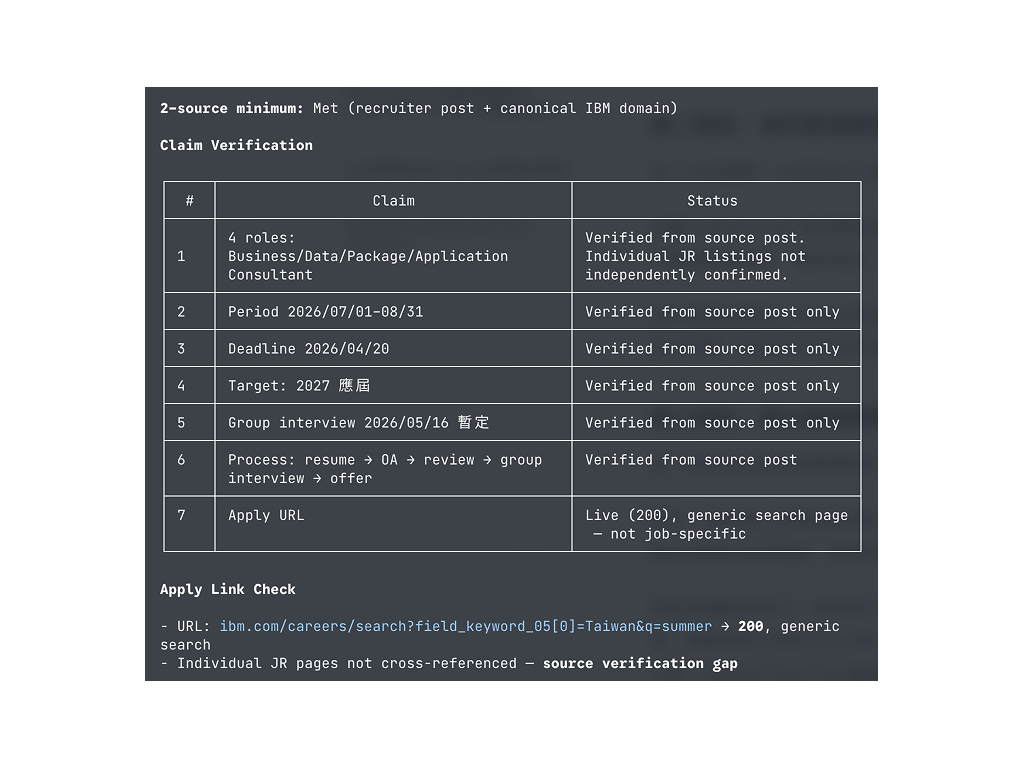
Why bother? Because if you share wrong info even once, your audience remembers you as unreliable. Validation takes almost no extra time, but saves you from trust crises down the road.
Stage 3: Generating Slides and Post Copy
This is where I spent the most time fine-tuning.
First, I prepared several high-performing posts as reference examples — few-shots prompting. You show the AI what "good" looks like, and the output stays consistent instead of drifting.
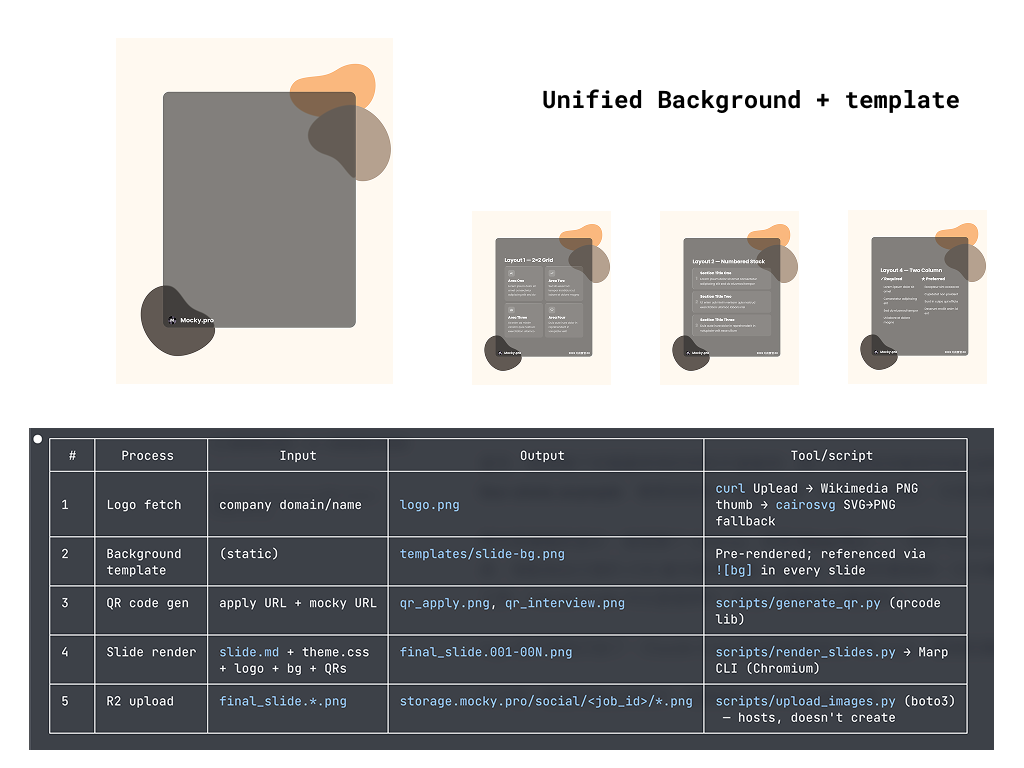
For slides, I ditched Gamma entirely and switched to Marp CLI — a Markdown-to-slides tool. Paired with my custom CSS template and background images designed in Figma, the visual output is consistent and polished. Since Marp is a CLI tool, Claude Code calls it directly. Zero manual work.
Company logos? Also automatic — Claude Code fetches them and places them into the slides.
Here's an actual post produced by the pipeline — slides and copy fully auto-generated:

Stage 4: Publishing
I use Buffer with MCP (Model Context Protocol).
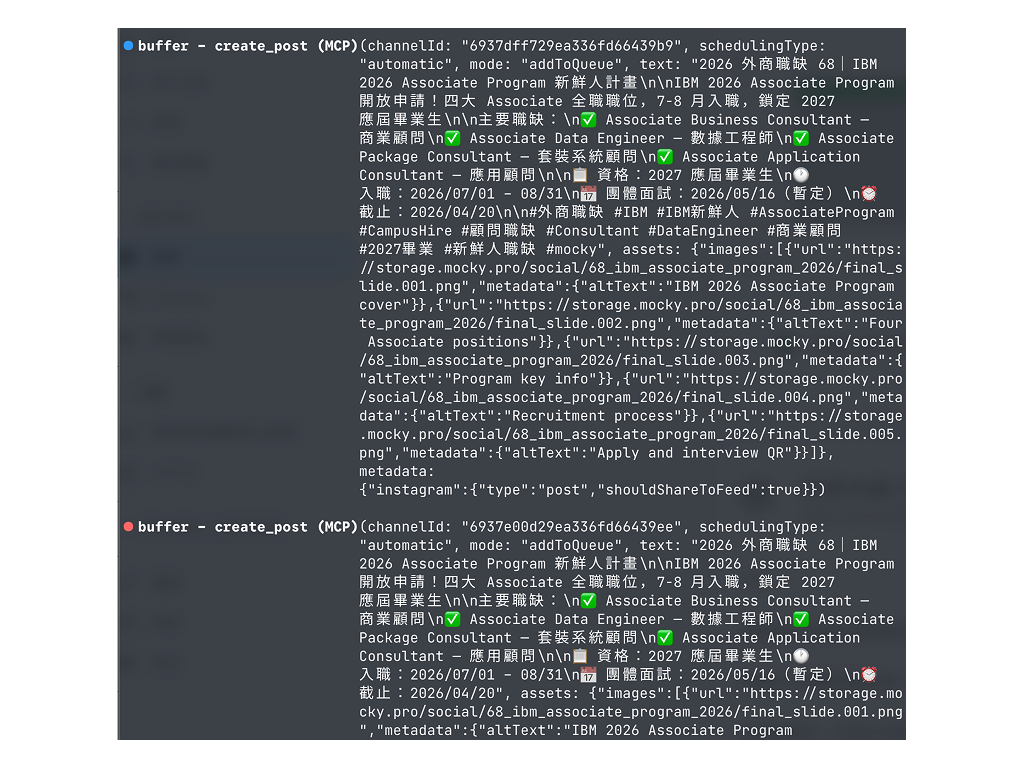
The benefits:
- No need to touch the Meta API (if you've tried, you know the pain)
- Posts are saved as drafts first — I can review on my phone before publishing
- Or queue them directly to post at scheduled times
- Buffer's free tier is enough for three platforms
The last step is literally "glance and tap" — or skip the glance entirely and just schedule.
Bonus: Driving Traffic Back to My Product with Subposts
Beyond the main post, I also auto-generate subposts (replies).
After each job posting goes live, Claude Code calls my website's API to create a dedicated page with two things: an AI mock interview for that position and a deep-dive analysis of the role.
The subpost automatically attaches a link to that page, right below the main post.
Here's what the actual subposts look like — AI mock interview and deep-dive analysis, both auto-generated:

This approach drove 3,300 users from Threads to my site in a single month. Every post isn't just reach — it's direct traffic to the product.
And the whole thing is automated: publish post → call API to generate page → create subpost with link. I don't touch any of it.
Key Design Decisions That Keep This System Stable
Consistent Visuals Through Templates
I designed fixed background images in Figma and built a CSS template that controls typography, colors, and layout. No matter which job posting runs through the pipeline, the slides look the same. This seems minor, but it's huge for social media — your audience recognizes your content instantly while scrolling.
Modular Skill Architecture
I split Claude Code's capabilities into unified skills (loaded every time) and independent skills (loaded on demand — validation, logo fetching, position scraping are all separate). This keeps things lean: only the relevant modules run each time, which means faster execution and fewer errors.
Context Isolation Through Subagents
Tasks like data validation run in a subagent — a completely independent execution environment with its own context. The large amount of data pulled during verification never pollutes the main context, so slide and copy generation stays clean and consistent.
Looking Back
All the time automation saved me went into one thing: iteration.
Testing which headlines resonate more, experimenting with different slide layouts, tweaking post structure to see what gets shared more. None of this was possible before — the manual workflow ate up all my time.
Going from 0 to 5,000 followers wasn't about posting more. It was about having the space to improve every single post.
And here's the practical reality: when each post costs less energy to produce, you can keep showing up. The hardest part of social media was never going viral once — it's not going dark. So many accounts don't fail because their content is bad. They fail because the person behind them got tired and stopped posting.
Lowering the cost of each output extends how long you can sustain the operation. In today's social media landscape, that matters more than anything.
If you're running any kind of social media — personal brand or company account — look at your workflow and ask: which steps am I just moving things from one place to another?
Those are the steps worth automating first.